Creating Quant Strategies and Indicators with TradingView Pine Script
This article summarizes the workflow of developing custom indicators and strategies using TradingView's Pine Script and passing backtest results to Python.
Why TradingView
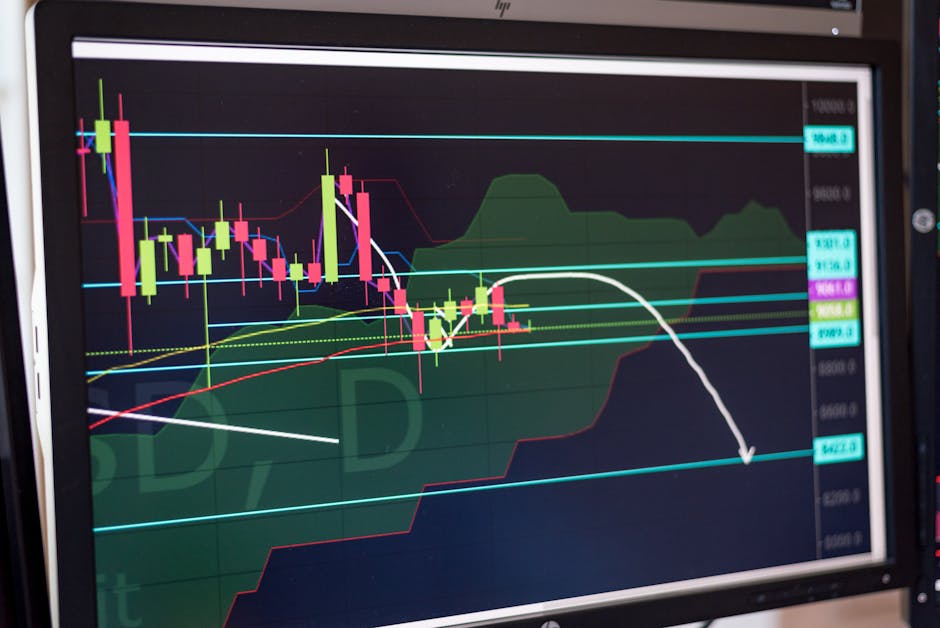
There are many chart analysis tools, but I prefer TradingView for two main reasons.
First, Pine Script. It allows you to create custom indicators and strategies through a programming language that is simple enough for traders with no coding experience. It supports complex conditional logic and multi-timeframe analysis.
Second, Data Coverage. You can view data from global stocks, cryptocurrencies, Forex, futures, and indices all on one platform. Checking correlations — like between BTC and DXY — takes just a few clicks.
Pine Script Basics: Creating Custom Indicators
Moving Average Crossover Indicator
This is a basic strategy signal. When the short-term moving average crosses above the long-term moving average, it signals a buy; crossing below signals a sell.
//@version=6
indicator("MA Crossover Signal", overlay=true)

fast = ta.sma(close, 20)
slow = ta.sma(close, 50)

plot(fast, color=color.blue, linewidth=2)
plot(slow, color=color.orange, linewidth=2)

buySignal = ta.crossover(fast, slow)
sellSignal = ta.crossunder(fast, slow)

plotshape(buySignal, title="Buy", location=location.belowbar,
color=color.green, style=shape.triangleup, size=size.small)
plotshape(sellSignal, title="Sell", location=location.abovebar,
color=color.red, style=shape.triangledown, size=size.small)
BTC + DXY Correlation Dashboard
This indicator overlays BTC price and DXY on the same chart to identify inverse relationships and timing entry points.
//@version=6
indicator("BTC vs DXY Correlation", overlay=false)

btc = request.security("BINANCE:BTCUSDT", timeframe.period, close)
dxy = request.security("TVC:DXY", timeframe.period, close)

// 20-day correlation
corr = ta.correlation(btc, dxy, 20)

plot(corr, color=corr > 0 ? color.red : color.green, linewidth=2)
hline(0, color=color.gray, linestyle=hline.style_dashed)
hline(0.5, color=color.new(color.red, 80))
hline(-0.5, color=color.new(color.green, 80))
Connecting Pine Script Strategies to Python Backtesting
While Pine Script’s strategy mode enables simple backtests, complex validation techniques like Walk-forward analysis and accounting for trading costs are better handled in Python.
Workflow
- Rapid prototyping of strategies in Pine Script on TradingView.
- If promising, port the same logic to Python (Backtrader, QuantConnect).
- Perform rigorous validation in Python, including Walk-forward, Purged K-Fold, etc.
- Upon passing validation, connect to live trading APIs (e.g., IBKR).
Example: Transferring Pine Script to Python
import pandas as pd
import numpy as np

def ma_crossover_signal(df: pd.DataFrame, fast: int = 20, slow: int = 50):
    """Translate Pine Script MA Crossover to Python"""
    df['fast_ma'] = df['close'].rolling(fast).mean()
    df['slow_ma'] = df['close'].rolling(slow).mean()

    df['signal'] = 0
    df.loc[df['fast_ma'] > df['slow_ma'], 'signal'] = 1   # Buy
    df.loc[df['fast_ma'] < df['slow_ma'], 'signal'] = -1  # Sell

    # Extract crossover points
    df['trade'] = df['signal'].diff().abs() > 0
    return df
TradingView Free vs Paid Plans
| Features | Free | Essential ($12.95/month) | Plus ($24.95/month) | Premium ($49.95/month) |
|---|---|---|---|---|
| Indicators per Chart | 2 | 5 | 10 | 25 |
| Supported Timeframes | Basic only | Add seconds | Same | Same |
| Alerts | 5 | 20 | 100 | 400 |
| Saved Layouts | 1 | 5 | 10 | Unlimited |
| Server-side Alerts | ✗ | ✓ | ✓ | ✓ |
| Pine Script Strategy | Basic | Same | Same | Same |
For quant researchers: Essential plan is sufficient. Most analyses are possible with 5 indicators, and server-side alerts enable automatic notifications.
Premium is needed if you want to monitor multiple strategies simultaneously or analyze data at sub-minute intervals.
BTC Analysis Layout Setup
I use a 4-panel layout for BTC analysis:
- Top-left: BTC/USDT 4-hour candles — Harmonic patterns + MA crossover
- Top-right: DXY daily — Dollar strength/weakness trend
- Bottom-left: BTC Funding Rate (Bybit/Binance)
- Bottom-right: BTC vs DXY correlation indicator
This setup allows monitoring price, macro factors, derivatives, and correlations all on one screen.
Summary
Use TradingView for quick idea visualization and initial validation. For rigorous backtesting and live deployment, transfer logic to Python.
The most practical quant workflow is: Pine Script → Python porting → Walk-forward validation → live trading integration.
Sign up for TradingView — Discount available through this referral link.
Recommended Articles
Bitcoin 69K consolidation continues, checking buy signals amid DXY decline
BTC breaks 72K, momentum driven by Middle East ceasefire and stablecoin news
Fear index at 11, three conditions for BTC rebound in extreme fear
Related Posts
Newsletter
Weekly Quant & Market Insights
Get market analysis, quant strategy ideas, and AI & data tool insights delivered to your inbox.
Subscribe →